
Deep Dish Swift 2026 - Surviving in Low Connectivity
14 Apr 2026I was lucky enough to be selected to talk at Deep Dish Swift 2026. The following is the contents from my slides.
Cellular
A bad connection is not the same as a slow connection
- Lossy & out-of-order — dropped and misordered packets stall progress
- Highly variable — bands change, signal fluctuates, device moves
- Upload-constrained — upstream bandwidth is the bottleneck
IP (TCP & UDP)
Reliability comes at a cost
- UDP — extremely simple, but gives you no guarantees about delivery or order
- TCP — guarantees in order delivery
TCP
Guarantees cause bottlenecks
- Lost packets block everything behind them — even if newer data has arrived
- Delivery validation is time based — the connection will wait for confirmation before resending packets
- High latency + packet loss leads to the connection intentionally slowing itself down because TCP can’t distinguish between a flaky network and an unresponsive server
Connections aren’t free
- Multiple round trips — especially when using TLS you need to wait for multiple responses from the server before sending any data
- Every connection has overhead — the os has to keep track of every connection to keep it alive
HTTP
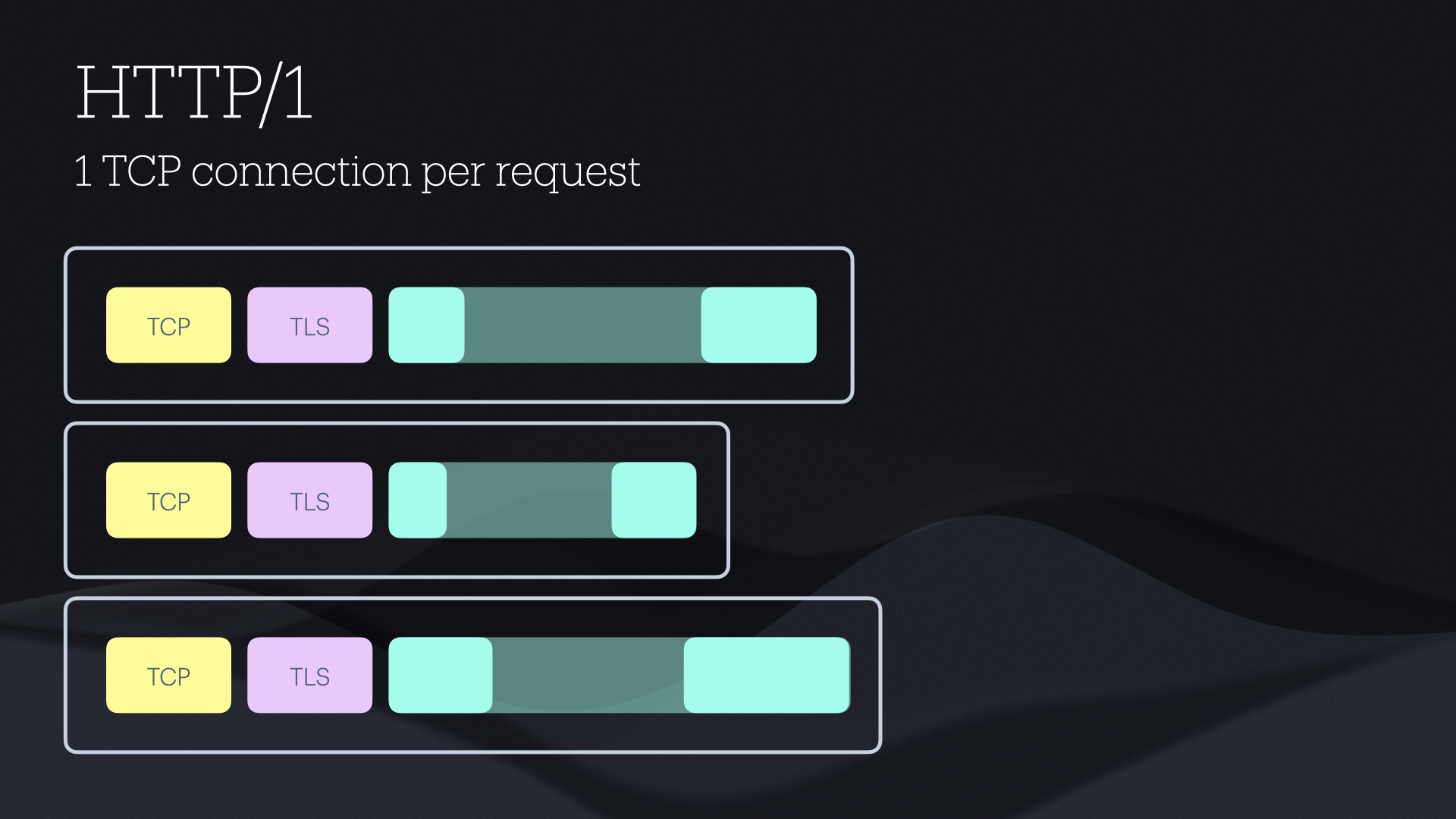
HTTP/1
1 TCP connection per request
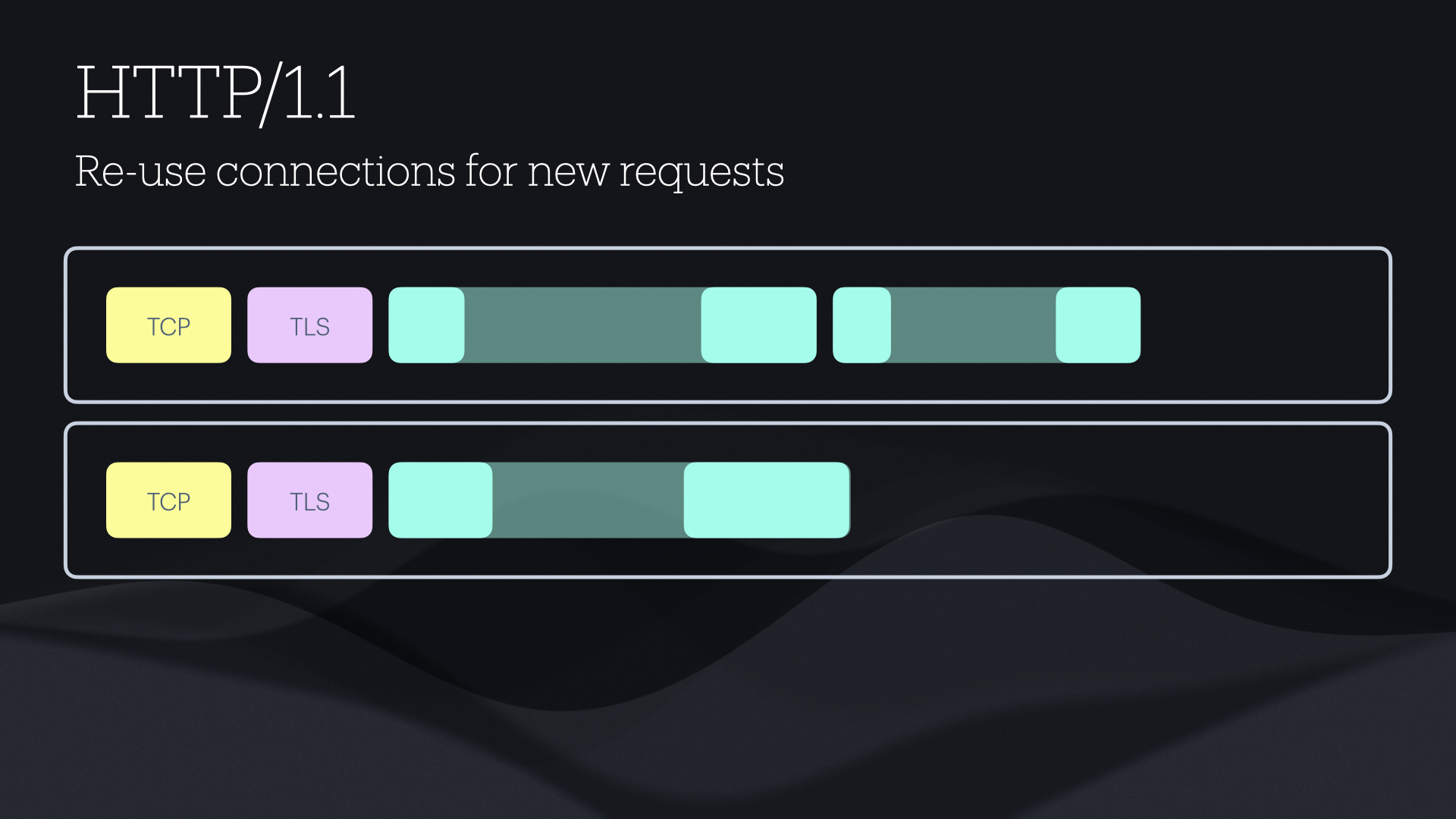
HTTP/1.1
Re-use connections for new requests
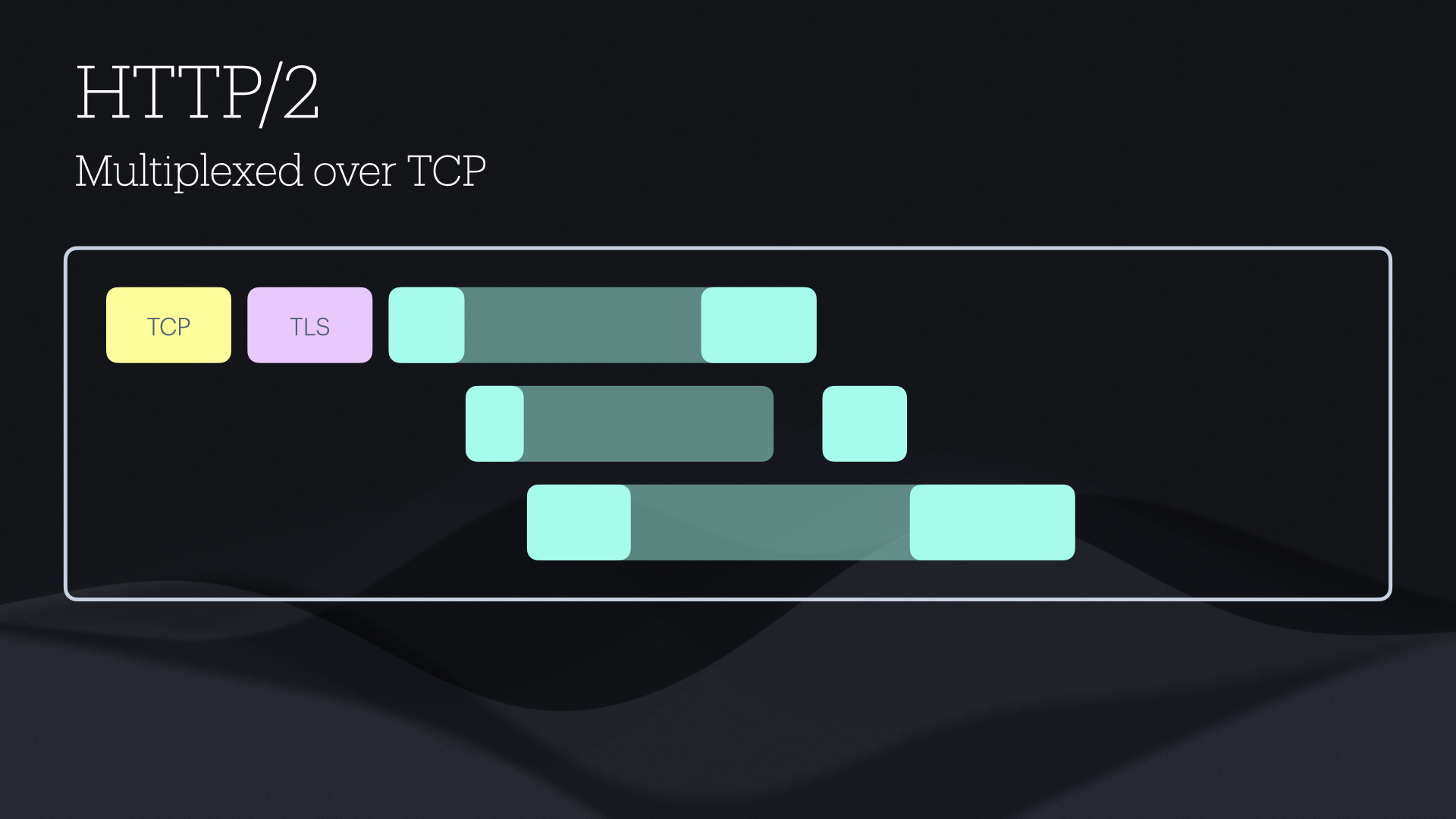
HTTP/2
Multiplexed over TCP
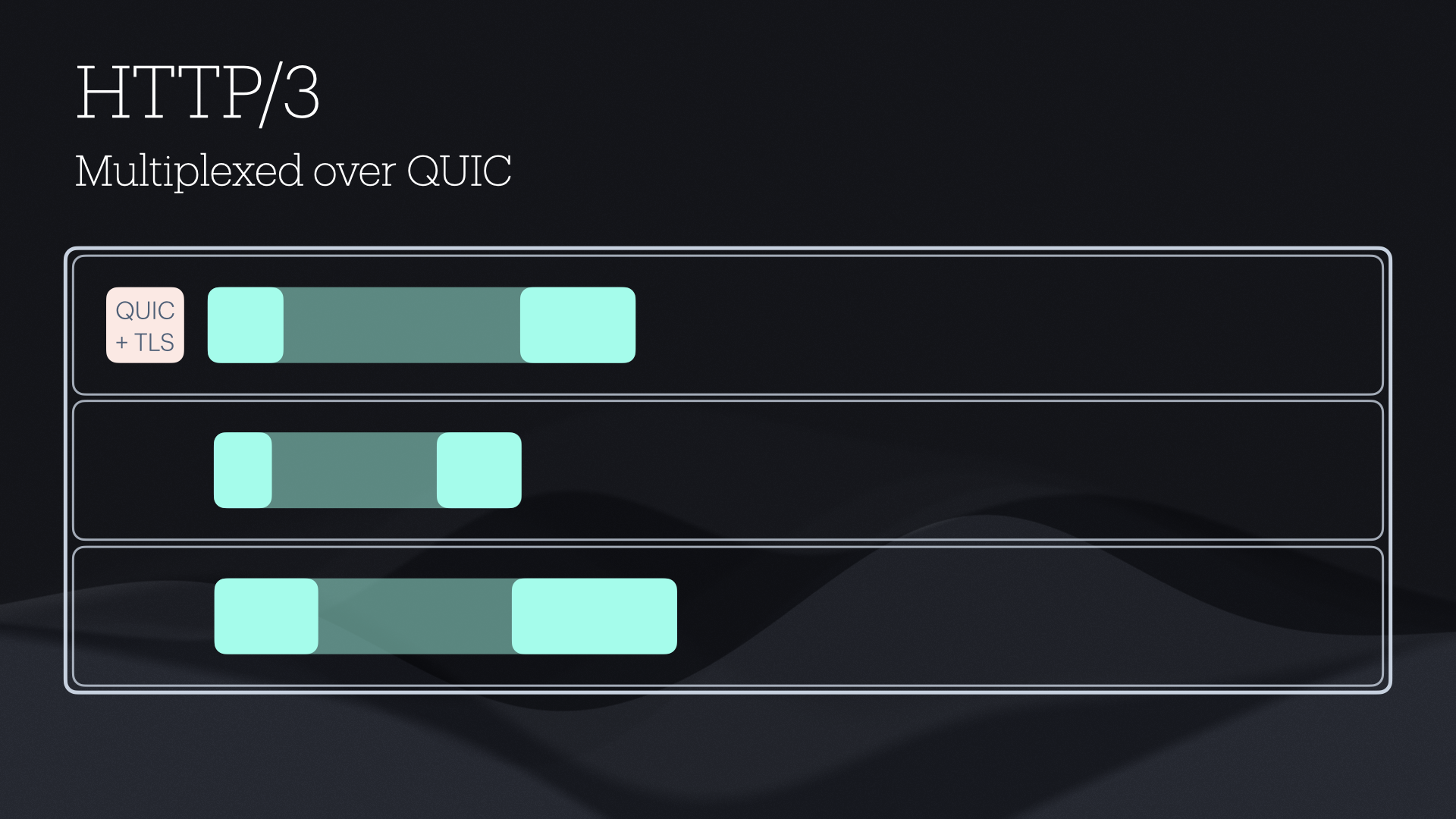
HTTP/3
Multiplexed over QUIC
Cancellation
Doesn’t always work — you are racing against the request it’s trying to cancel
- HTTP/1 can close the TCP connection
- HTTP/2 will send a cancel message but it will probably get trapped in the traffic jam
- HTTP/3 can prioritize stream cancellation, but it still might be too late
- Cancelling unused tasks is good practice, but won’t save you

Timeouts
Just fancy cancellation
- HTTP Timeouts are necessary — TCP and QUIC can retry for a very long time before giving up, and in some circumstances wait forever for a response
- Sometimes retrying fixes the connection — it gives the TCP connection a chance to reset, but sometimes it just needs more time
- URLSession timeout is based on response — large uploads need a longer timeout
- Lookout for retry congestion
Measure first
Know what to fix
- Network link conditioner — for everyday debugging
- Use your app in real world conditions — find what is the most critical
- Use a proxy to see everything that your app is doing — not just first party requests (Proxyman is my recommendation)
- Have tracing in place (Sentry, TelemetryDeck etc.) but be careful
- Use URLSessionTaskMetrics for accurate measurements
Send less stuff
It adds up
While saving 1KB of data on a normal connection is imperceptible, if you can save 1KB on every request it could be the difference between your app working or not in low connectivity.
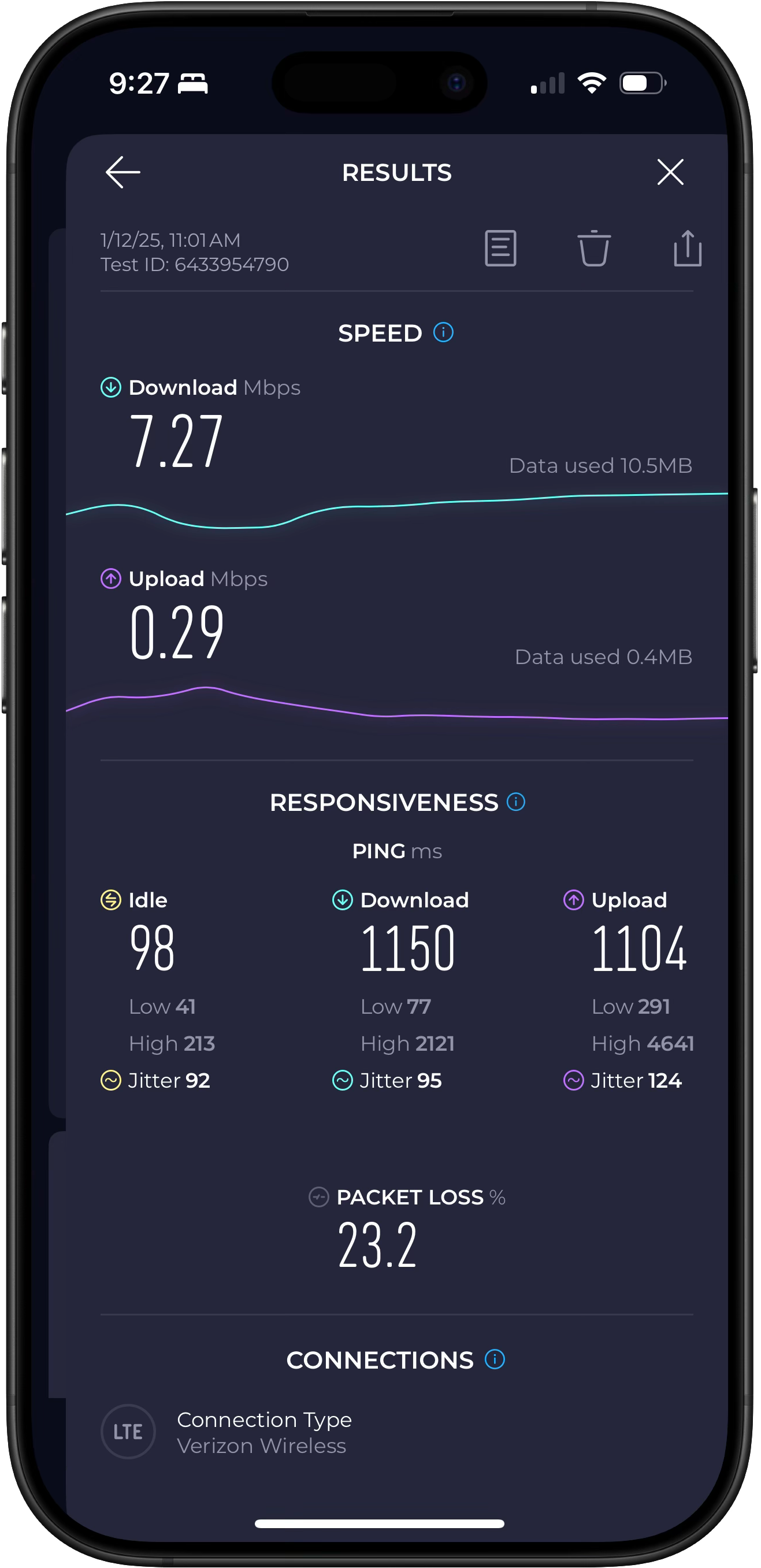
A pretty typical speed test will show a usable download speed, but the upload is the bottleneck. And latency and packet loss make the actual throughput of a TCP connection even worse. In this example from a neighborhood near my house, the upload speed shows 290 kbps (22 KB/s) but the actual throughput would only be 2.7 KB/s.
- Focus on upload
- Look at headers — an empty request may carry 5KB of headers
- Look out for cookies from web views
- Avoid large headers that change often
- Compress request bodies if you send lots of JSON
Prioritize
Do it in advance
- By the time you want to send a high priority request, it’s too late
- URLSessionTask.priority doesn’t do much
- Consider artificially limiting low priority requests
Detecting low connectivity
Harder than you think
- It is very hard to accurately detect low connectivity
- “Expensive” and “constrained” are user settings, not a signal of real world conditions
- NWPath.LinkQuality (iOS 26+) provides additional insight
- Round trip time of recent requests is the most reliable metric
Polling
Are we there yet?
- Even an empty request can be a few KB
- Use SSE, WebSockets, Long polling if possible
- Space out requests based on response times
APNS is a gift
Use it wisely
Many backend engineers will resist adopting persistent connections like WebSockets because it makes web infrastructure difficult. But APNS is free and provides the persistent connection for you.
- 4KB limit
- Extremely resilient and efficient
- Rarely blocked — often works even on restricted networks (e.g. airplane Wi-Fi)
- You don’t need permission for data only notifications in the foreground
- But if you do use push alerts don’t ignore the content — an app can receive a notification but not be able to connect to its own server
Idempotence
Understand what can be retried
Idempotent (adj.) — Describing an operation that can be performed multiple times with the same input without changing the result beyond the first application.
URLSession will automatically resend GET, HEAD, PUT, DELETE
Make everything idempotent — you never know what made it to the server
Adopt HTTP/3
The time is now
- Nearly every CDN now supports it — but you probably will need a CDN
- Networks may still downgrade to TCP — but getting better
- If you know your server uses HTTP/3, turn on assumesHTTP3Capable
- S3 still only supports HTTP/1
Designing for low connectivity
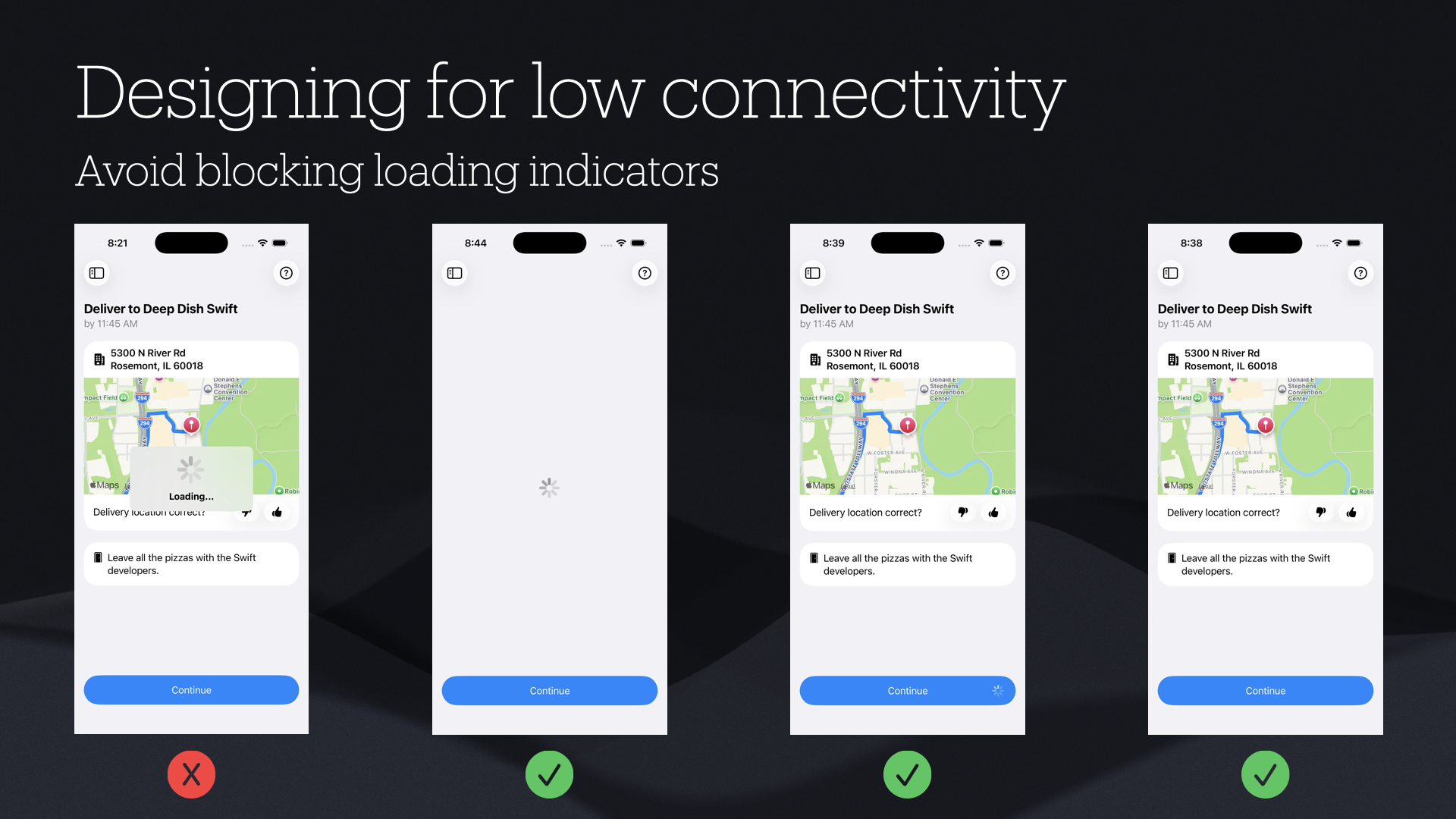
Avoid blocking loading indicators
The user may want to look at or interact with other things in the app while something is loading, or they may have tapped on something by mistake. If you block the entire app while something is loading, you force them to wait for up to a minute.
Showing actual progress indicators can be useful for large uploads and downloads, but for smaller requests you won’t see any incremental progress, because the request and response will be sent in a single packet.